Introducing NexTech Indicator
A complete trading edge for cleaner decisions.
Premium TradingView indicator toolkit for traders who want signals, smart-money zones, TP/SL planning, alerts, and a structured workflow — without cluttered charts or unrealistic promises.
TradingView Indicator
SMC Zones
Alerts
TP / SL Planning
Educational and decision-support tool only. Trading involves risk. No software, signal, or strategy can guarantee profits.
Non-guaranteed market examplesBacktest before live useUse stop-loss planningBuilt for chart clarityBeginner-friendly setupTradingView based
Non-guaranteed market examplesBacktest before live useUse stop-loss planningBuilt for chart clarityBeginner-friendly setupTradingView based
Traders Results
See Real Action. Predict Your Outcome
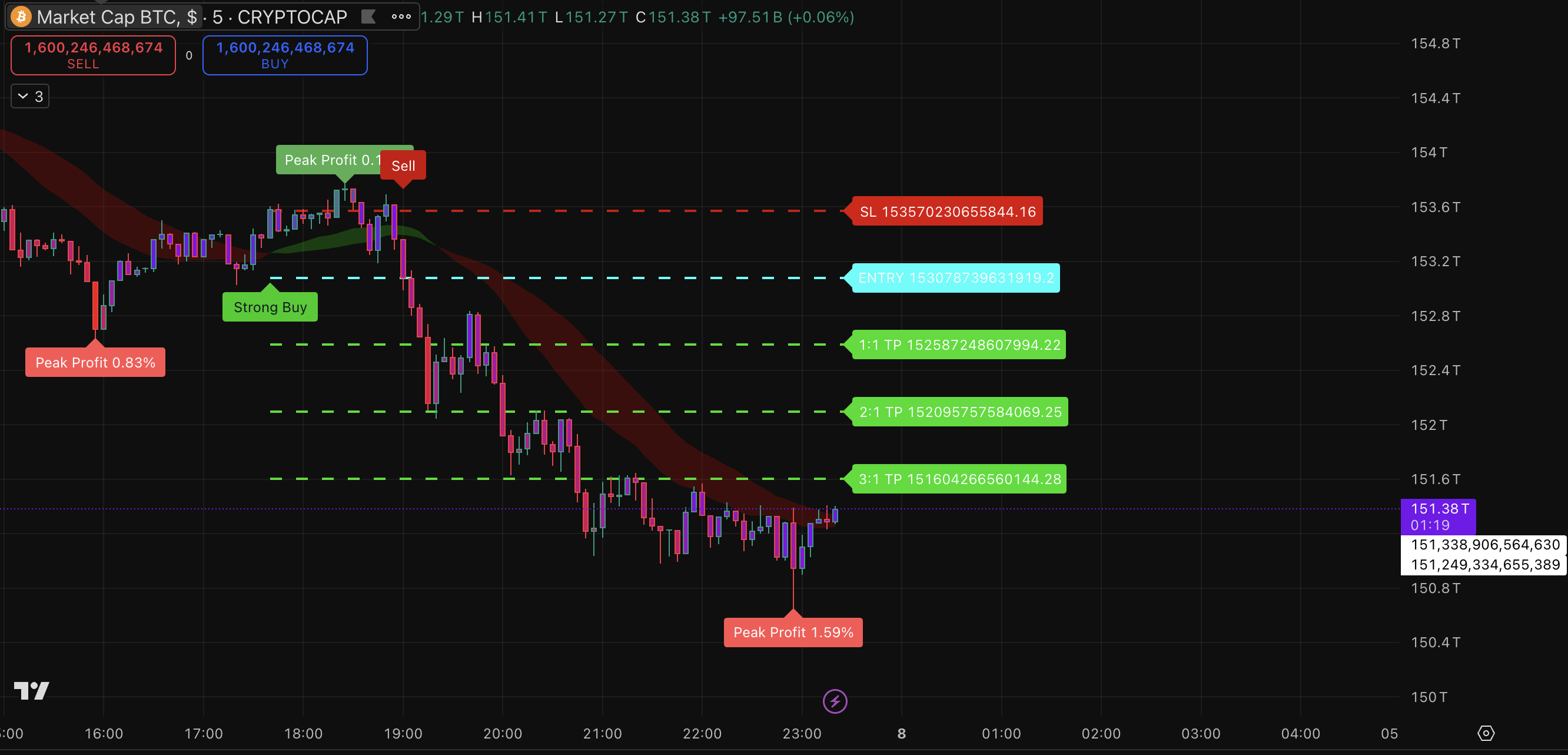
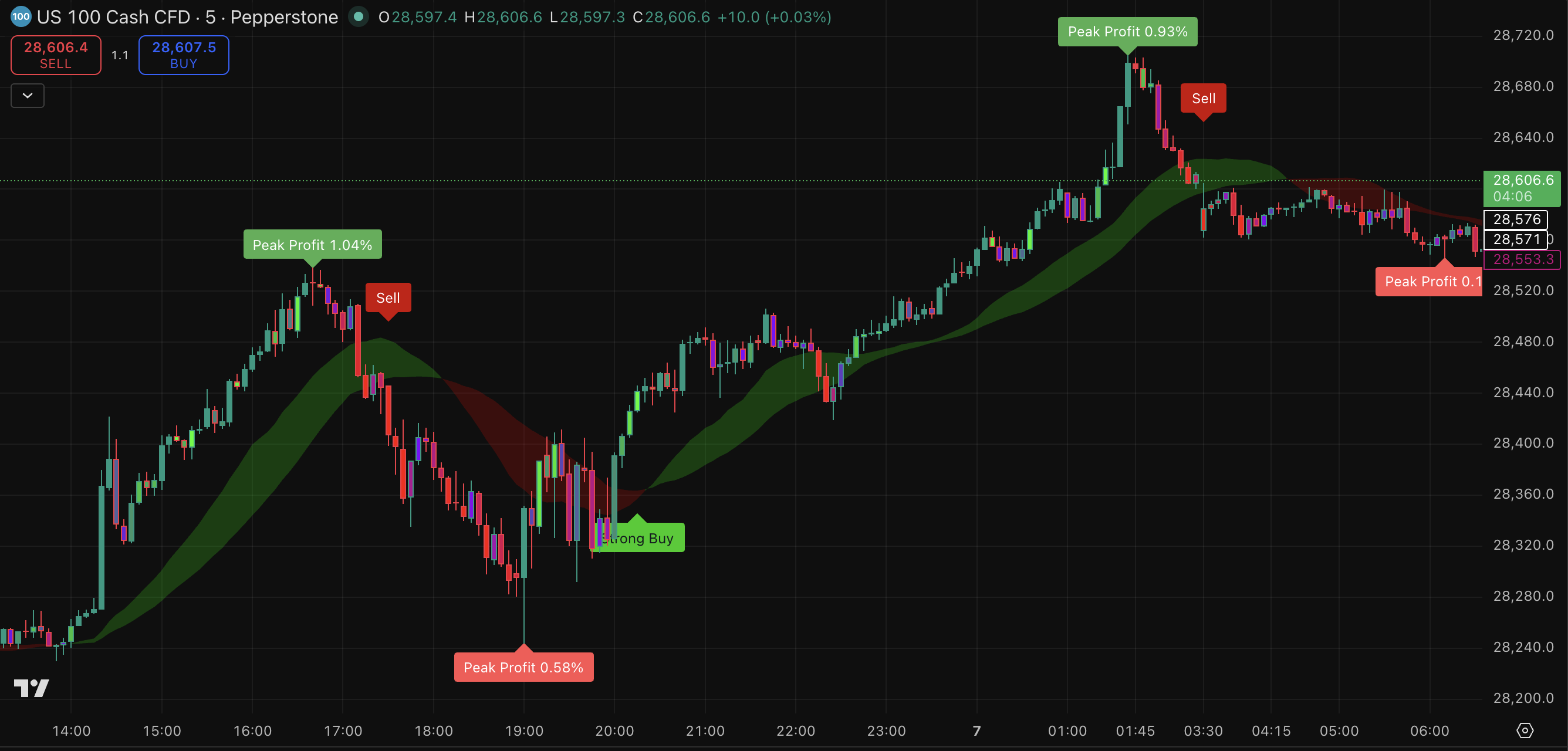
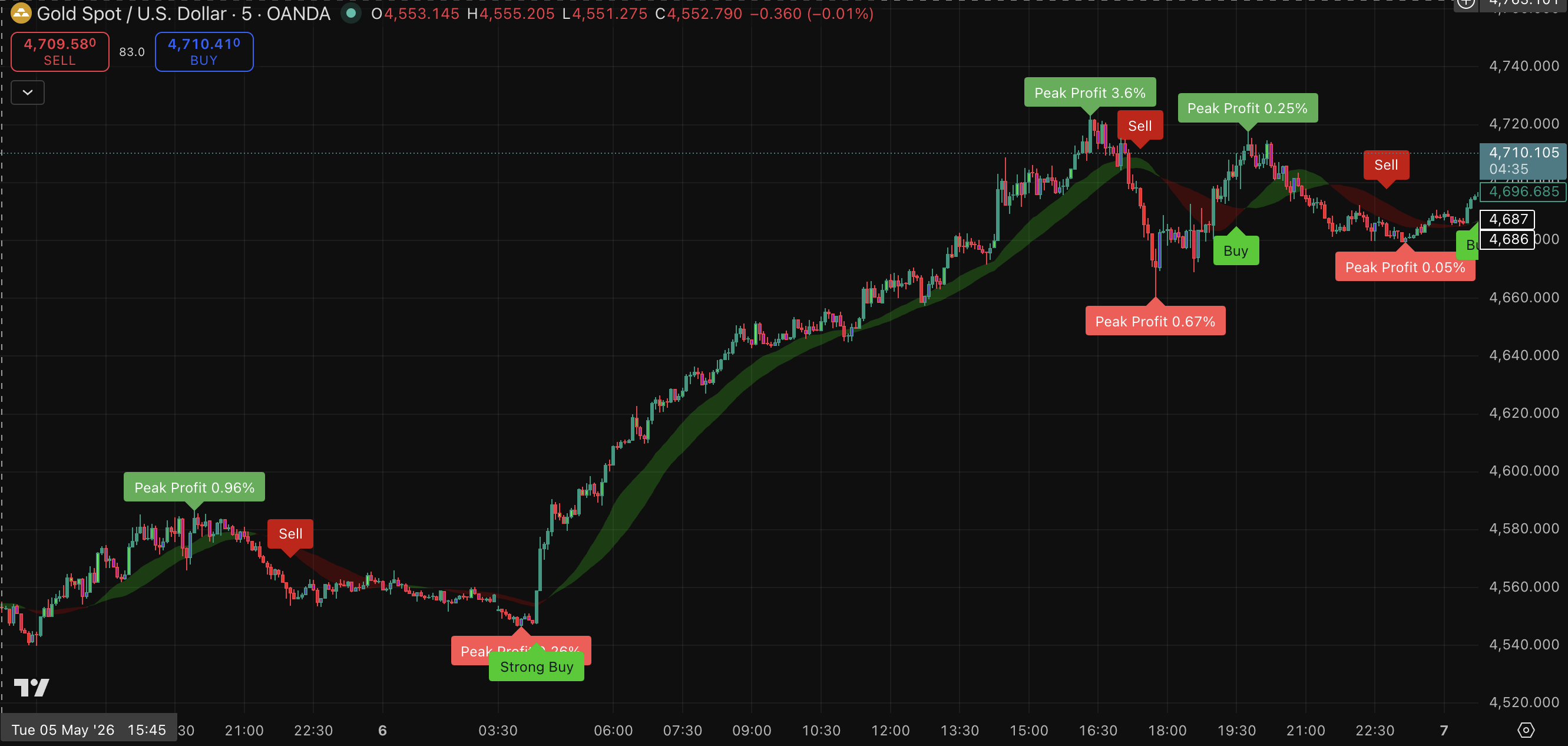
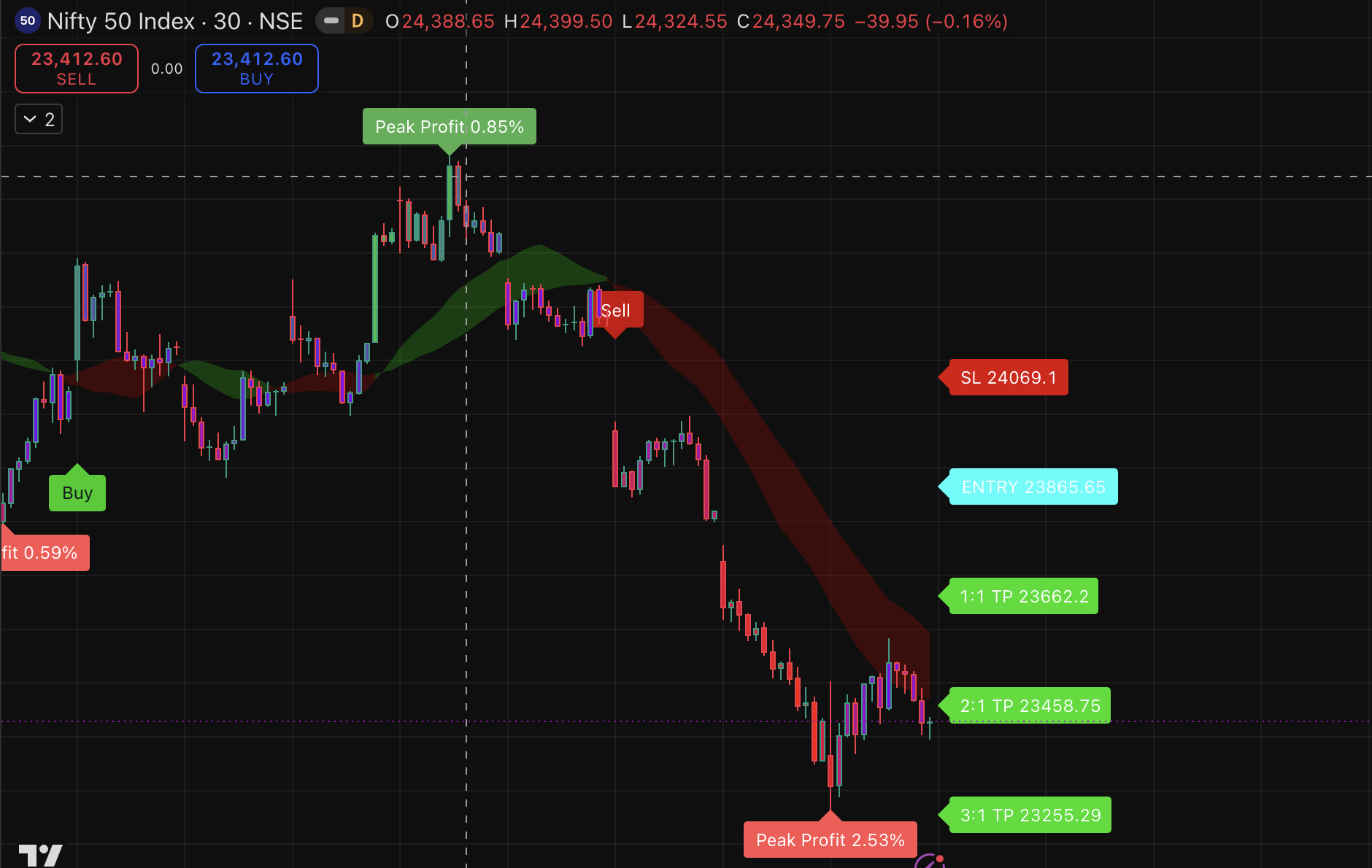
Success snapshots, challenge-style chart examples, and clean signal walkthroughs — straight from the NexTech toolkit. Use them to understand the product experience before buying.
Live Chart Feel
Real market screens
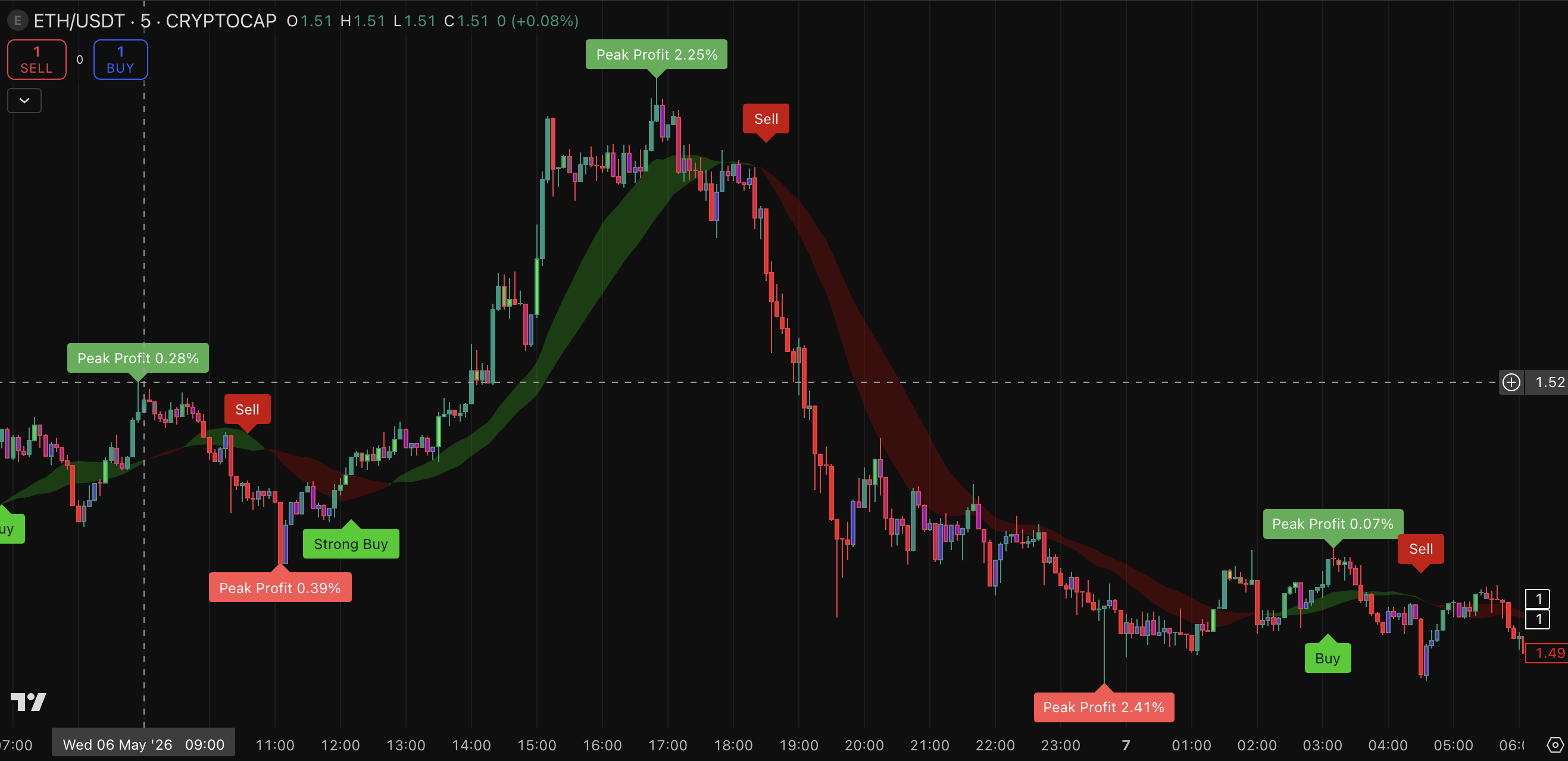
Customers see signal labels, zones, entries, SL and target planning before checkout.
Decision Clarity
Outcome preview
Explain what a buyer can understand from the tool, without promising guaranteed profit.
Risk-first
Entry · SL · TP
The section sells trust by showing both potential direction and risk levels.
Real Traders. Real Results.
Screenshots, feedback, and real outcomes shared by the NexTech community.
Before you buy
These visuals are product examples for education and decision support. Trading involves risk, and past examples do not guarantee future results.
Features
See how it works on charts.
The page is now sales-focused: customers see the exact use case, the visual interface, the buying benefits, and the risk disclaimer before checkout.
Buy/Sell Signal View
Helps identify possible setup points. Use confirmation and risk rules before entering trades.
TP / SL Planning
Shows areas for entry, target, and stop-loss planning so customers understand risk before trade action.
Instant Alerts
Set TradingView alerts and reduce screen-watching. Alerts support discipline, not guaranteed accuracy.
Advanced Toolkit
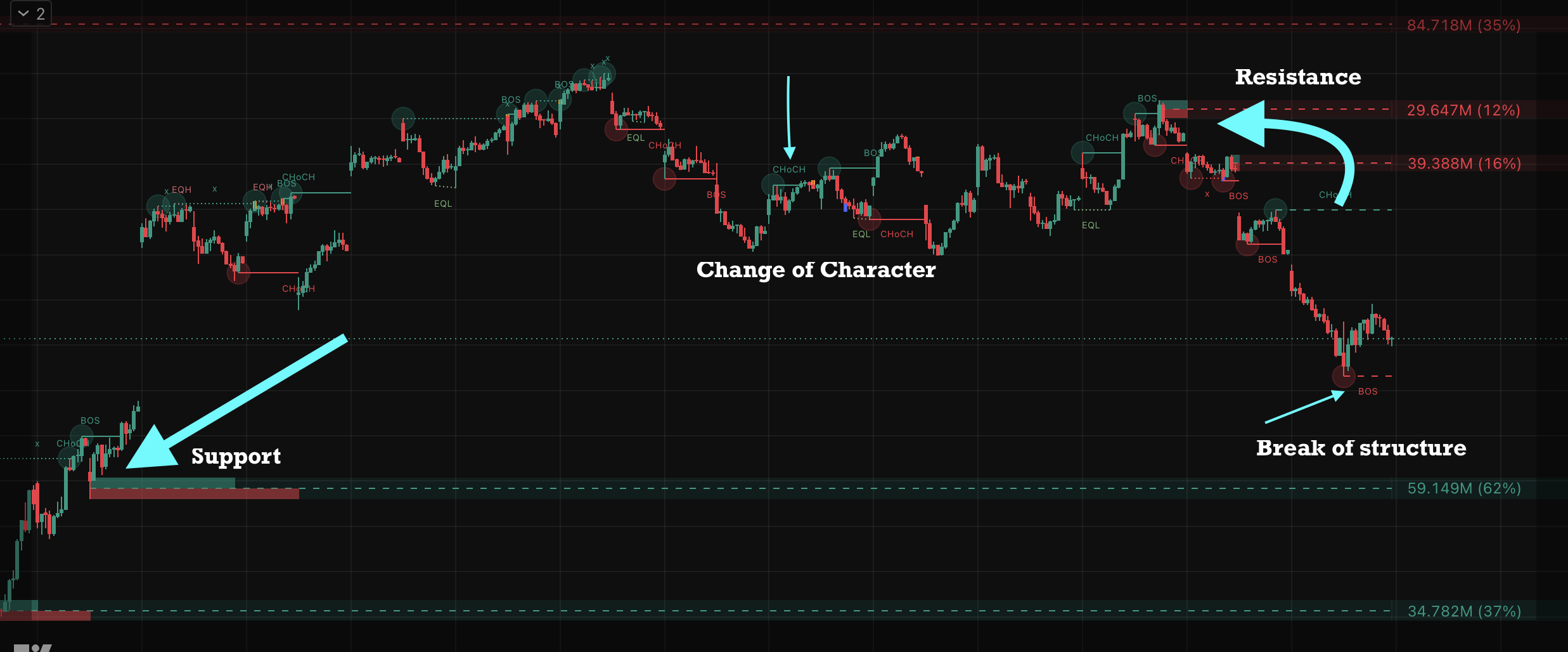
Smart Money Concepts (SMC)
Trade alongside institutional footprints. Our SMC toolkit automatically highlights critical market structure, enabling you to clearly read the narrative behind the price movement instead of chasing retail signals.
- Auto-detect BOS & CHoCH: Spot trend continuation and reversals early.
- Refined Order Blocks: Locate high-probability entry zones dynamically drawn.
- Clear Decision Points: Know exactly where major buyers and sellers are waiting.
Market Dynamics
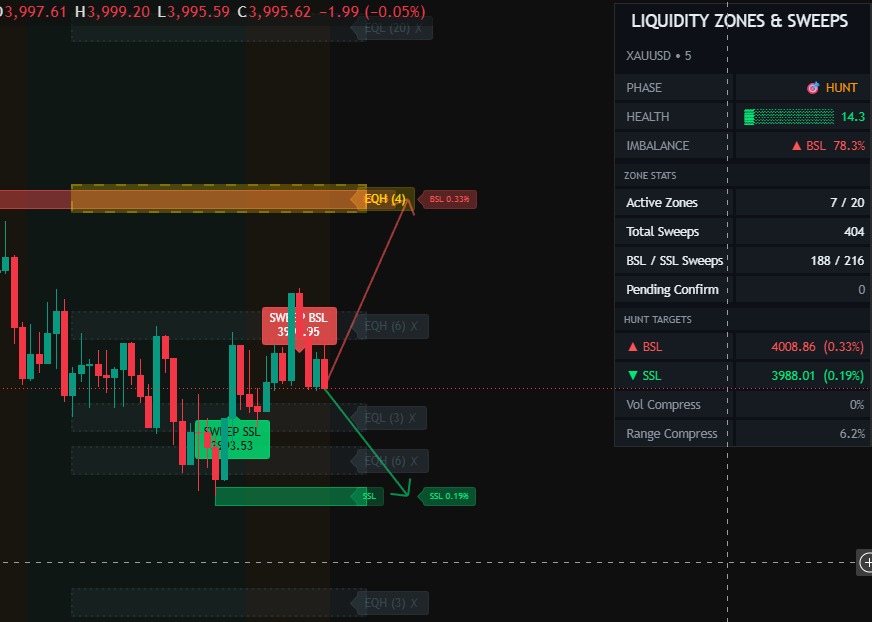
Liquidity Sweep & Traps
Stop being part of the liquidity pool. Identify retail traps, equal highs and lows (EQH/EQL), and major sweep zones before they happen. Wait for the institutional purge, then catch the real directional move.
- Equal Highs/Lows (EQH/EQL): Visualize where retail stops are resting.
- Highlight Sweep Zones: See aggressive stop-hunts clearly marked on the chart.
- Confirm Smart Entries: Time your trades immediately following a confirmed liquidity grab.
Few steps to get started
From purchase to chart in minutes.
1
Get access
Choose your plan and complete payment through the connected checkout.
2
Add to TradingView
Follow the guide, add indicators, and configure chart settings.
3
Trade with rules
Use the checklist for trend, zone, entry, SL, TP, and position size.
The Difference
NexTech vs random signal sellers.
A premium sales page should make the product feel serious, transparent, and useful — not like a get-rich-quick offer.
Other Gimmicks
- Profit promises without risk explanation
- Confusing indicators with no setup process
- No clear entry, stop-loss, or target planning
- Weak support after purchase
NexTech Method
- Clean chart signals with context-based use
- Smart-money zones, structure, and alerts
- Risk-first workflow before every trade decision
- Setup tutorials and support for buyers
After Purchase
What will you get?
Clear deliverables improve buyer trust and reduce WhatsApp questions before checkout.
Indicator Access
Access to NexTech tools based on selected plan.
Setup Tutorial
Step-by-step guide to install and use the toolkit.
Trading Checklist
A simple process for confirmation, risk, and review.
Alert Support
Guidance for TradingView alert configuration.
SMC Toolkit
Order-block, liquidity, and structure-focused visuals.
Support Access
Help with setup and basic usage questions.
Plan for you
Let's get you started.
You are not paying for guaranteed profit — you are buying tools, education, and a disciplined trading workflow.
Starter
Monthly Access
₹3,499
₹1999/ month
- Core indicator access
- Setup guide
- Alert configuration help
Best Value
Recommended
Quarterly Pass
₹6,999
₹2,999/ 3 months
- All premium indicators
- SMC toolkit access
- Setup tutorials + checklist
- Priority support
Elite
Yearly Access
₹19,997
₹5,999/ year
- Full toolkit access
- Strategy and setup resources
- Priority support
- Updates during access period
Payment opens in Superprofile. After purchase, follow the provided access/setup instructions. Markets are risky; start small, backtest, and never trade without predefined risk.
Reviews
What traders think.
Aman
The biggest thing for me is clarity. The chart feels cleaner and I can follow a setup process instead of guessing.
Rahul
It helped me avoid random entries because I started checking trend, zone, signal, and risk before action.
Yuvraj
Useful for intraday chart reading. Not magic, but it gives better structure to my trading routine.
Yashi
The biggest improvement for me is clarity. The chart looks much cleaner now, and I can follow a proper setup process instead of randomly guessing where to enter.
kartik
What I liked most is that it gives structure to my trading. Earlier I used to get confused on the chart, but now the signals and setup flow help me understand the market better.
vikas
This made chart reading feel simple. I can clearly see the setup, wait for confirmation, and make decisions with more discipline instead of trading emotionally.
Doubts
Let's answer your questions.
You get access instructions for the selected NexTech toolkit, setup guidance, checklist resources, and support details based on your plan.
Yes. The page, setup guide, and checklist are built to help beginners understand how to use the tool step by step.
No. No strategy or indicator can guarantee profits. NexTech is designed to support chart analysis and discipline. Your trades and risk remain your responsibility.
It is built for TradingView charts. Some advanced alert limits may depend on your TradingView plan.
After payment, follow the provided access and setup instructions. If you need help, use the support contact/community link.
Ready to start?
One clean toolkit. Every chart. Better discipline.
Choose your plan, complete checkout, and start with the setup guide before live-market use.